Sent as a Text Message Meaning: What It Really Means When You See This on Your Phone
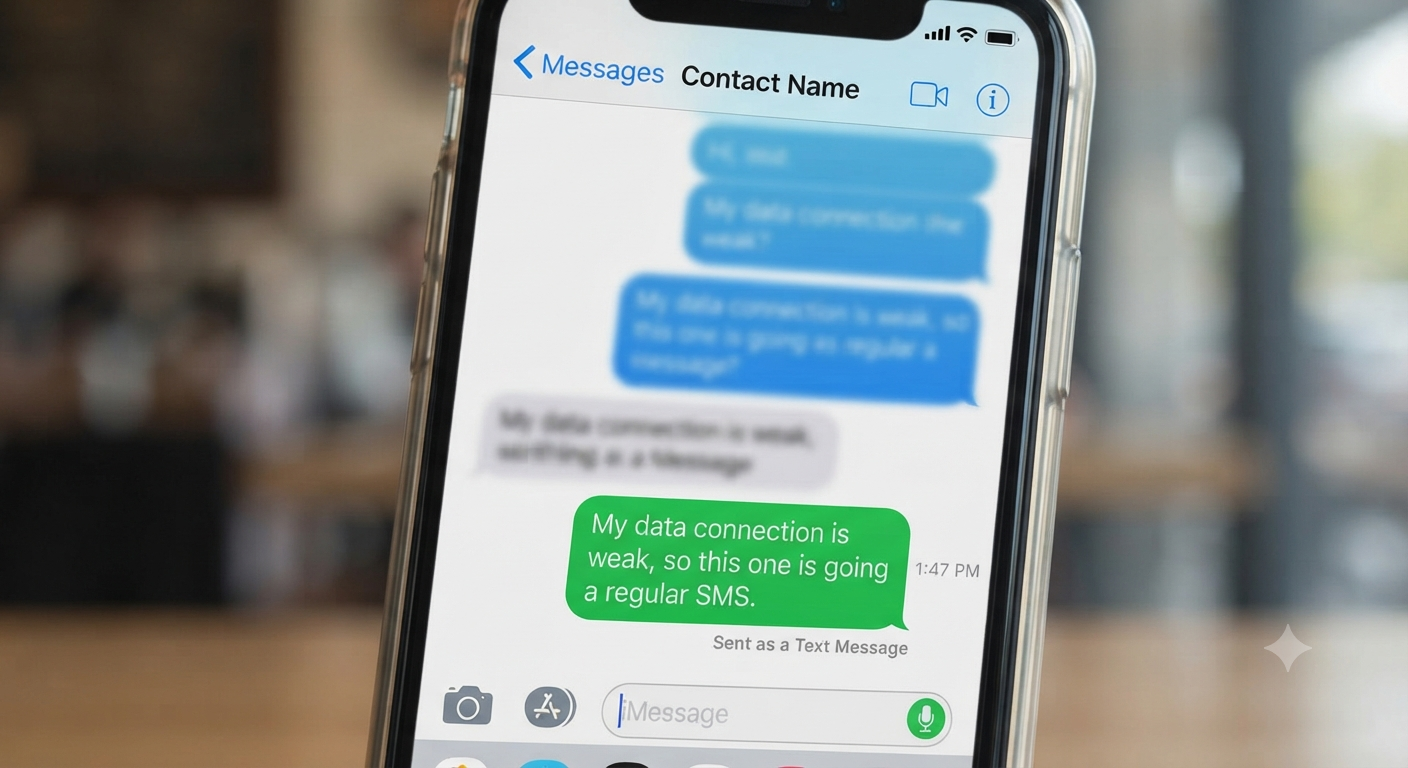
You send a text, glance back at your screen, and see the words “Sent as a Text Message” instead of the usual blue bubble. If you’ve ever felt a small jolt of confusion or worry when this happened, you’re not alone.
Sent as a Text Message Meaning is one of those phrases that shows up constantly in iPhone messaging, yet almost nobody explains it clearly. It looks technical, a little cold, and sometimes even personal, especially if you’re texting someone you care about.
This article breaks it down in plain language, so you never have to wonder again.
Why People Get Confused by Sent as a Text Message Meaning
Most confusion comes from assumptions. People assume it means they’ve been blocked, or that the other person switched phones, or that something is broken with their own device.
In reality, this notification is just part of how iPhone messaging status works behind the scenes. It has nothing to do with feelings, drama, or secret meanings — it’s a system message, not a social one.
Still, because texting carries so much emotional weight, a plain technical notice can feel loaded. That’s exactly why this topic keeps popping up in searches and group chat debates.
What This Article Will Help You Understand
By the end, you’ll know exactly why this message appears, what it says about the recipient’s phone, and how it fits into the bigger picture of SMS vs Message difference.
You’ll also learn how this compares to slang terms people throw around in texting culture, how to reply naturally when it shows up, and when it might genuinely be worth paying attention to.
Think of this as the one guide that finally clears the fog.
What Does Sent as a Text Message Mean in Text?
The Simple One-Line Definition
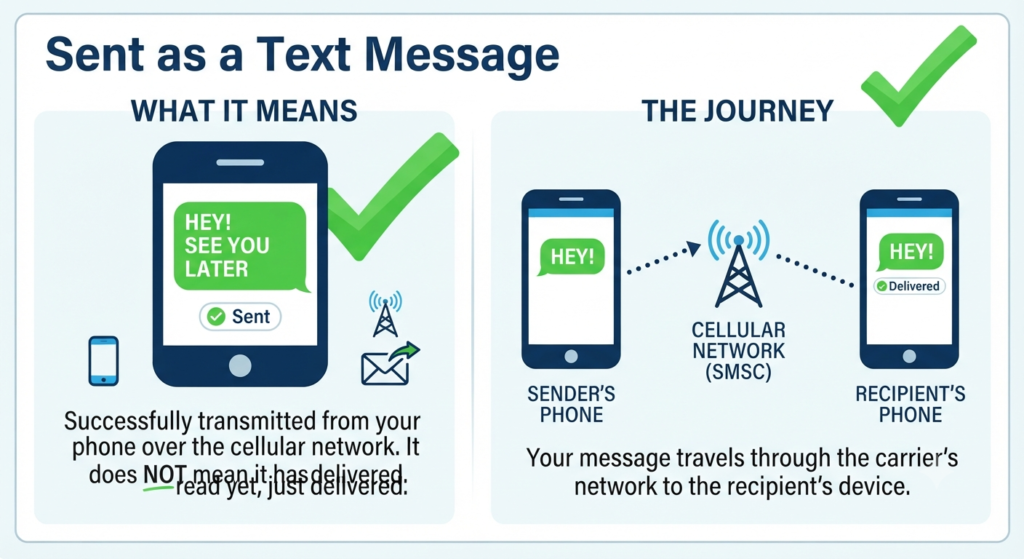
“Sent as a Text Message” means your iPhone couldn’t deliver your message through Apple’s iMessage system, so it automatically fell back to sending it as a regular SMS fallback using your cellular network instead.
That’s it. No hidden meaning, no personal message about your relationship with the recipient.
It’s simply your phone switching from internet-based messaging to standard text messaging because iMessage wasn’t available at that moment.
Does Sent as a Text Message Always Mean the Same Thing?
Mostly, yes — but the reason behind it can vary. Sometimes it happens because the recipient turned off iMessage, switched to an Android phone, or is dealing with iMessage activation issues on a new device.
Other times, it’s about you. If your mobile data vs Wi-Fi messaging connection is weak, or you’re in an area with poor network signal messaging, your phone may default to SMS just to make sure the message goes through.
So while the phrase itself is consistent, the “why” behind it can shift depending on both parties’ devices and connections.
Origin of Sent as a Text Message Slang
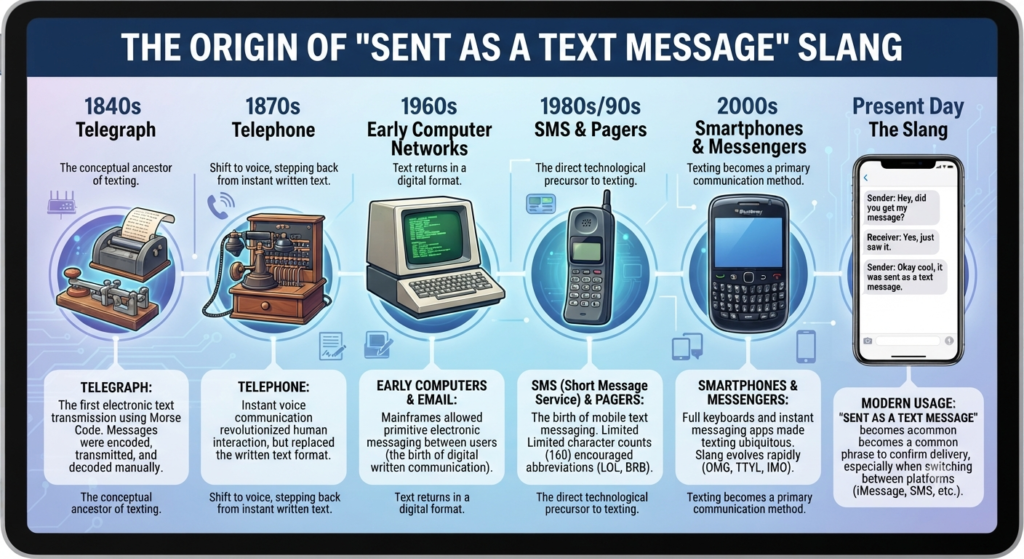
Which Platforms Made It Popular?
This isn’t really internet slang in the traditional sense — it’s a built-in iPhone Settings Messages notification. But it became part of everyday conversation because so many people text primarily through Message.
Once someone gets used to seeing blue bubbles, any shift to green feels noticeable enough to talk about. That’s how “sent as a text message” moved from a technical label into casual conversation and even memes about blue bubble vs green bubble drama.
Group chats, especially ones mixing iPhone and Android users, made this phrase common knowledge fast.
Who Uses Sent as a Text Message the Most?
Teenagers and young adults talk about it most, largely because of how much social identity gets tied to green bubble meaning versus blue bubble meaning in Gen Z slang circles.
It also comes up a lot among people juggling multiple devices, spotty service areas, or older phones that struggle with carrier-based messaging.
Basically, if you text daily and care about delivery status, you’ve probably run into this at some point.
Sent as a Text Message vs Similar Slang Terms
Quick Comparison Table
Here’s a simple breakdown showing how this phrase differs from other common text message notification terms people confuse it with.
| Term | What It Means | Common Cause |
|---|---|---|
| Sent as a Text Message | Message delivered via SMS instead of iMessage | iMessage unavailable, weak signal, or non-Apple device |
| Message Not Delivered | Message failed to send at all | No signal, blocked contact, or message not delivered error |
| Delivered as SMS | Confirms the SMS fallback successfully reached the recipient | Successful SMS delivery indicator after fallback |
| iMessage (Blue Bubble) | Sent through Apple’s internet-based system | Both users have active iMessage and internet connection |
| RCS Messaging | Enhanced messaging between Android and newer iPhones | Both devices support RCS messaging protocol |
Key Differences Explained
The biggest distinction is between failure and fallback. “Sent as a Text Message” is not a failure — it’s your phone finding another route to deliver your message.
“Message Not Delivered,” on the other hand, usually signals a real problem, like no signal at all or being blocked.
Meanwhile, RCS messaging is a newer standard trying to bridge the gap between iPhone and Android texting, offering richer features than plain SMS while still not being full Message.
Real Conversation Examples of Sent as a Text Message
Between Friends
Imagine texting a friend: “Hey are we still meeting at 6?” and the bubble turns green with “Sent as a Text Message” underneath.
Nine times out of ten, this just means your friend’s phone lost internet connection or briefly had iMessage issues. Nobody’s ignoring you on purpose.
In a Flirty Context
Texting a crush and suddenly seeing this notification can trigger overthinking fast. “Did they block me? Did something change?”
In reality, it’s almost always technical — a dead Wi-Fi signal, low battery mode disabling data, or them switching phones recently.
In a Group Chat
Group chats are where this phrase gets the most attention, especially when one person’s messages consistently show up green while everyone else stays blue.
This usually points to that person having an Android device, disabled iMessage, or a phone stuck in a weak service area, not anything dramatic happening socially.
Is Sent as a Text Message Rude, Polite, or Flirty?
When It Feels Friendly
On its own, this notification carries zero tone. It’s not friendly or unfriendly — it’s just a status update from your operating system.
If the conversation itself is warm and casual, the green bubble doesn’t change that energy at all.
When It Can Feel Too Forward
Some people jokingly treat “green bubble” texts as less desirable in modern internet slang, especially in dating contexts, which can make the notification feel loaded even though it isn’t.
This perception says more about texting culture trends than about actual etiquette. The message itself is neutral; the meaning some people assign to it is social, not technical.
How to Respond to Sent as a Text Message
Simple Replies
If you’re the one receiving a message that shows this status on the sender’s end, you don’t need to respond to the notification itself at all — just reply normally to the actual text.
If you’re curious, a simple “Hey, did your iMessage stop working?” works fine and keeps things casual.
Playful Replies
For friends who joke around, something like “Ooh, green bubble today, what happened?” fits naturally into casual texting language without sounding awkward or overly serious.
It keeps the tone light while still acknowledging the shift without making it a big deal.
When NOT to Use Sent as a Text Message
This isn’t really a phrase you “use” intentionally since it’s automatic, but it’s worth knowing when to avoid overreacting to it.
Don’t assume it means someone blocked you, ended a friendship, or is ignoring you socially — those are separate signals with their own indicators.
Also avoid relying on this notification as a diagnostic tool for relationship status; it reflects texting fallback system behavior, not personal intent.
FAQ
Why does my iPhone say sent as a text message?
Your iPhone shows this when iMessage isn’t reachable, so it automatically switches to SMS through your cellular messaging network to make sure your message still sends.
Does sent as a text message mean blocked?
Not usually. Being blocked typically shows consistent SMS status with no delivery confirmation, but this alone isn’t reliable proof of blocking without other signs.
How do I turn off send as text message?
You can adjust this under iPhone Settings Messages by disabling the “Send as SMS” fallback option, though this may cause failed sends when iMessage is unavailable.
Is text message the same as iMessage?
No. iMessage uses internet-based messaging exclusively between Apple devices, while text messaging relies on carrier-based messaging through your phone plan.
Why do some texts show sent as a text message on iPhone but others don’t?
It depends on the recipient’s device and connection at that exact moment, since message delivery protocol choices happen automatically based on availability.
Curious about the reverse situation, like what it means when your messages suddenly appear as iMessage again after being green for a while? That’s a great topic to explore next.
Conclusion
Sent as a Text Message Meaning really comes down to one simple idea: your phone found a backup way to deliver your message when iMessage wasn’t available.
It’s not personal, it’s not a hidden signal, and it definitely isn’t proof of being blocked or ignored.
Once you understand the technical side, the emotional confusion tends to disappear completely, leaving you free to focus on the actual conversation instead of the color of the bubble.